Slider Revolution upgrade breaks layout
Some users report that upgrading Slider Revolution directly to version 6.7.5x or higher causes layout issues or broken sliders. This typically happens when the rendering engine is not switched before the upgrade. Solution:
- Go to Global Settings (fig. 1) > Rendering Engine and change from SR6 to SR7 (fig. 2).

Fig. 1. Slider Revolution “Global” Settings.
- After switching, click the Clear Cache and Clear SR7 Tables buttons (fig. 2).
- Review the frontend to confirm the slider displays correctly.
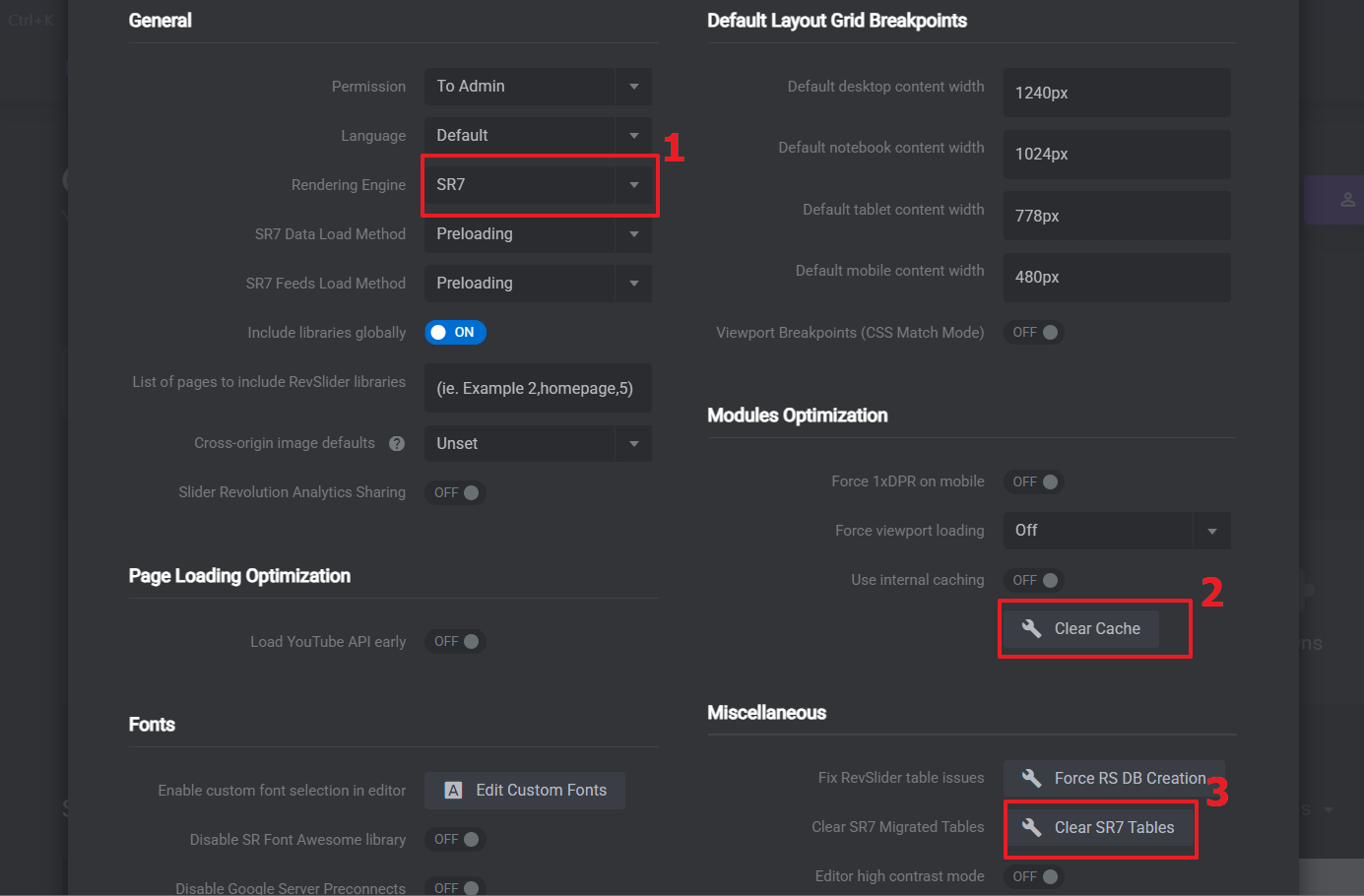
Fig. 2. Proceed SR7 engine migration.
- Proceed with the plugin upgrade