How to upgrade to The7 v.15
The license allows updating to The7 v.15 if you have active direct subscription or if your Envato purchase was made less than 12 months ago.
Before proceeding the update, please make sure the valid purchase code is registered in The7 -> My The7 (fig. 1):
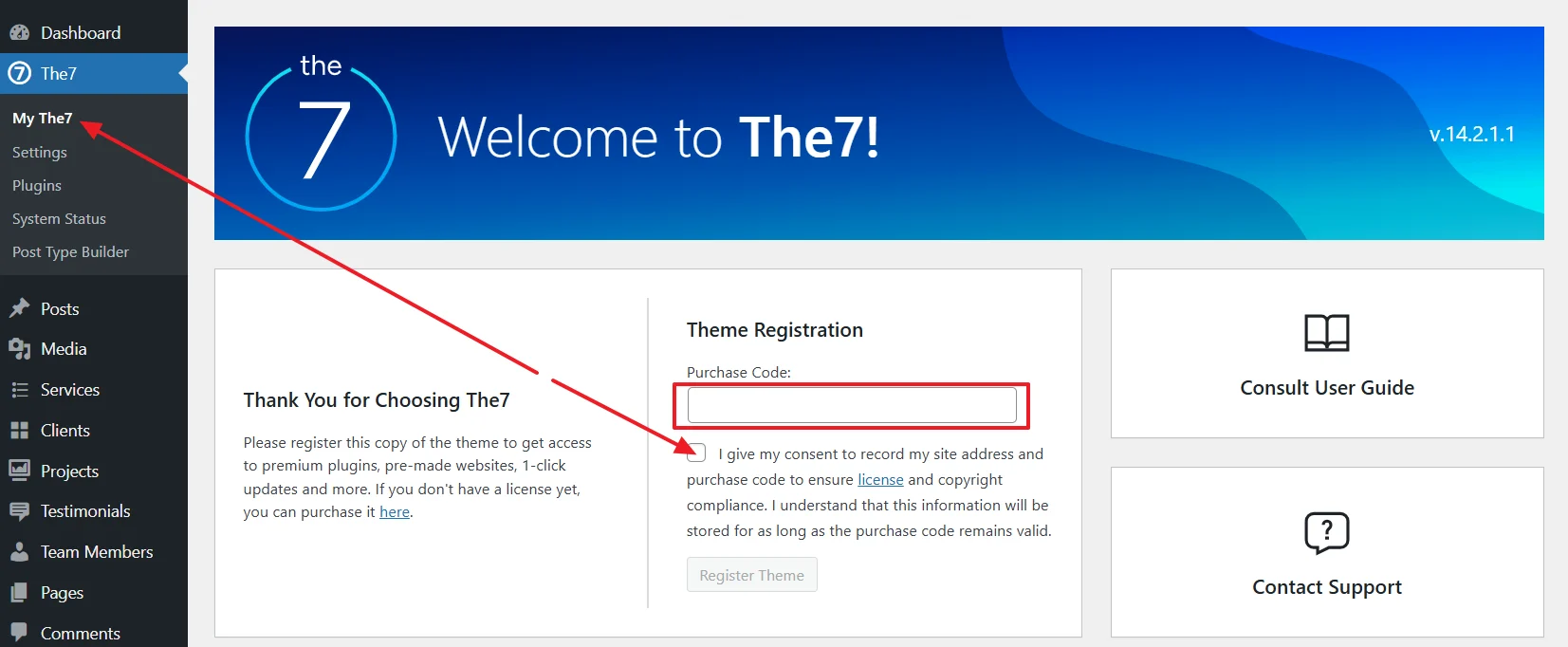
Fig. 1. Registered theme.
If you had old Envato code and purchased new direct subscription (via Freemius), then you need to de-register the old Envato code and register the new Freemius license code instead.
Then, you can proceed the update by clicking the big blue “Upgrade to The7 15” button (fig. 2) – no special steps are required.
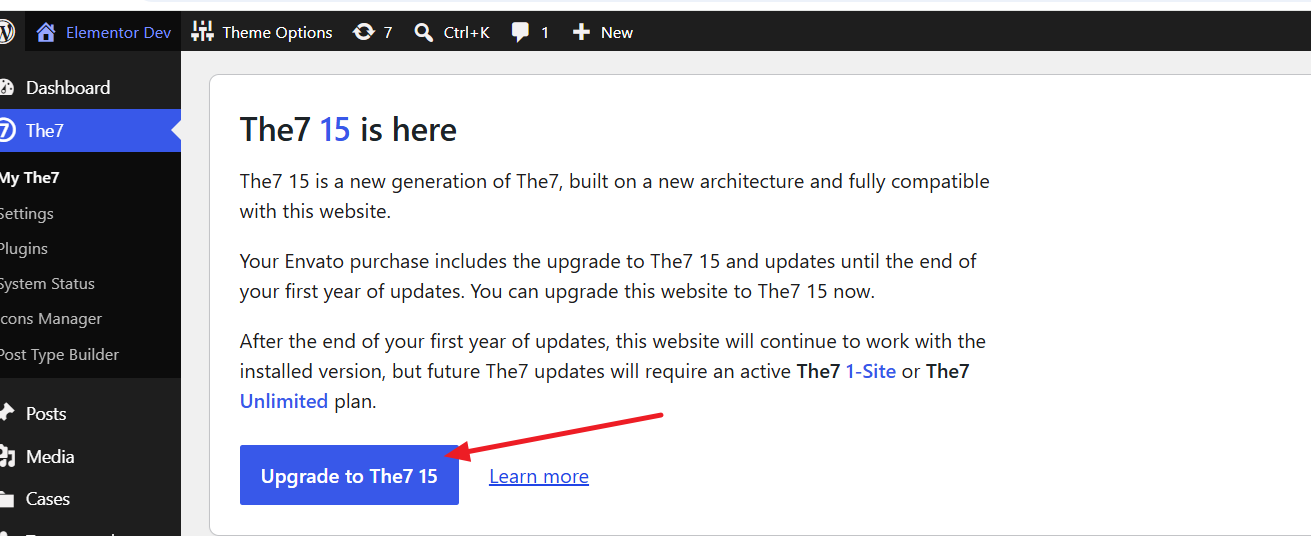
Fig. 2. Upgrade to The7 ver. 15.
But, of course, having a backup is always helpful 🙂 You can make it, for example, by means of https://wordpress.org/plugins/updraftplus/