How to hide or move to left the “Go to the top” button (Arrow)
For Elemetor
In order to adjust “Go to the top” button settings, you need to edit Site Setting -> Theme Style. And refer to General Appearance tab -> Scroll to Top Button (fig. 1):
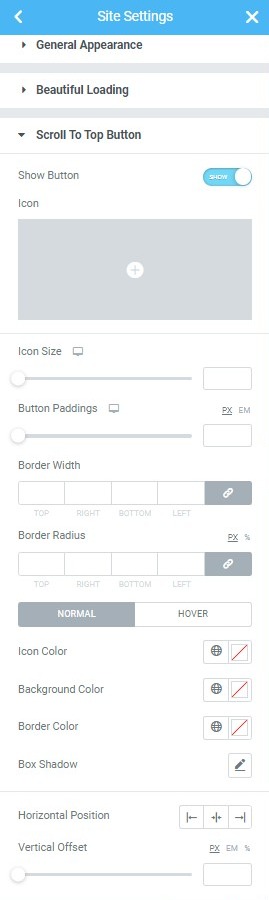
Fig. 1. Scroll To Top Settings.
For WPBakery
In order to hide “Go to the top” button, please go to Dashboard -> Appearance -> Customize -> Custom CSS and put in the following CSS code:
#page .scroll-top{display:none;}
To move it to the left, use this code:
#page .scroll-top{left:10px; right:auto;}