Contact form does not work
If your contact form does not work:
1. If you use the Contact Form 7 plugin, please make sure the form is not in demo mode (fig. 1):
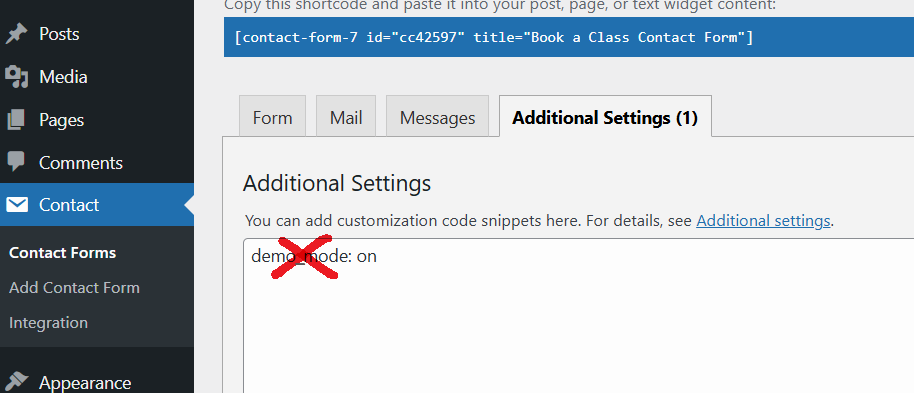
Fig.1. CF7 demo mode On.
2. Regardless of the type of form you use, please make sure the correct email address is set in Dashboard → Settings → General → Email Address (fig. 2.1) and Dashboard → Theme Options → Contact Forms → Email (fig. 2.2):

Fig.2.1. General WP email setting

Fig.2.2. Email address for DT contact form
3. It would be wise to check whether the theme is installed to the correct folder: /wp-content/themes/dt-the7/.
4. Secondly, you should try to deactivate all plugins.
5. In some cases, the following plugin installation may solve the problem: Easy WP SMTP. Start from selecting the Default mailer (fig. 5) and sending the test email under Easy WP SMTP -> Send a test. If it doesn’t help, try choosing other available free mailers.
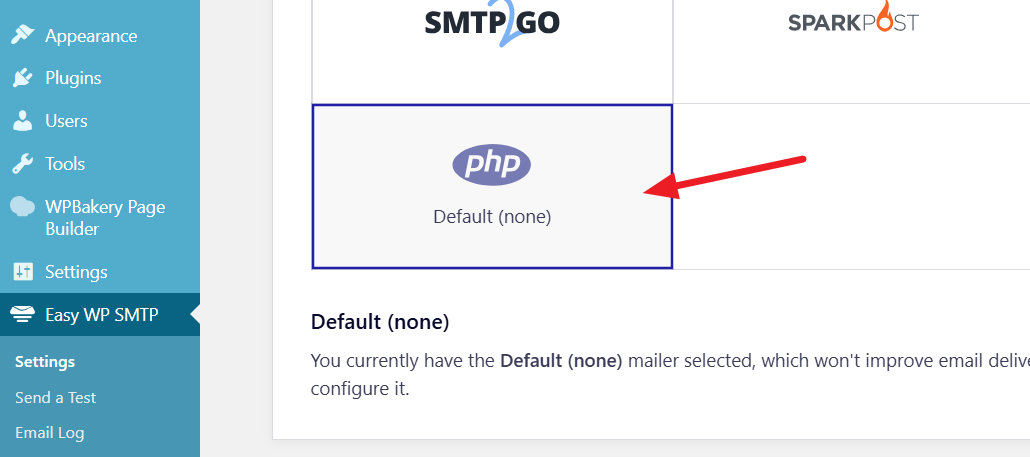
Fig. 5. Default mailer.
6. If all these suggestions did not work, you can debug WordPress mail delivery issues like described here https://www.codeforest.net/debugging-wp-mail-like-a-boss-debugger