How to change my invoice details on Freemius
- Access the Freemius user dashboard using the email submitted when making the purchase.
- Go to the My Profile tab and locate the Billing section.
- Enter your Company Name, corporate address, and VAT/Tax ID, etc. (fig. 1). Submit the updated details to save your billing profile.
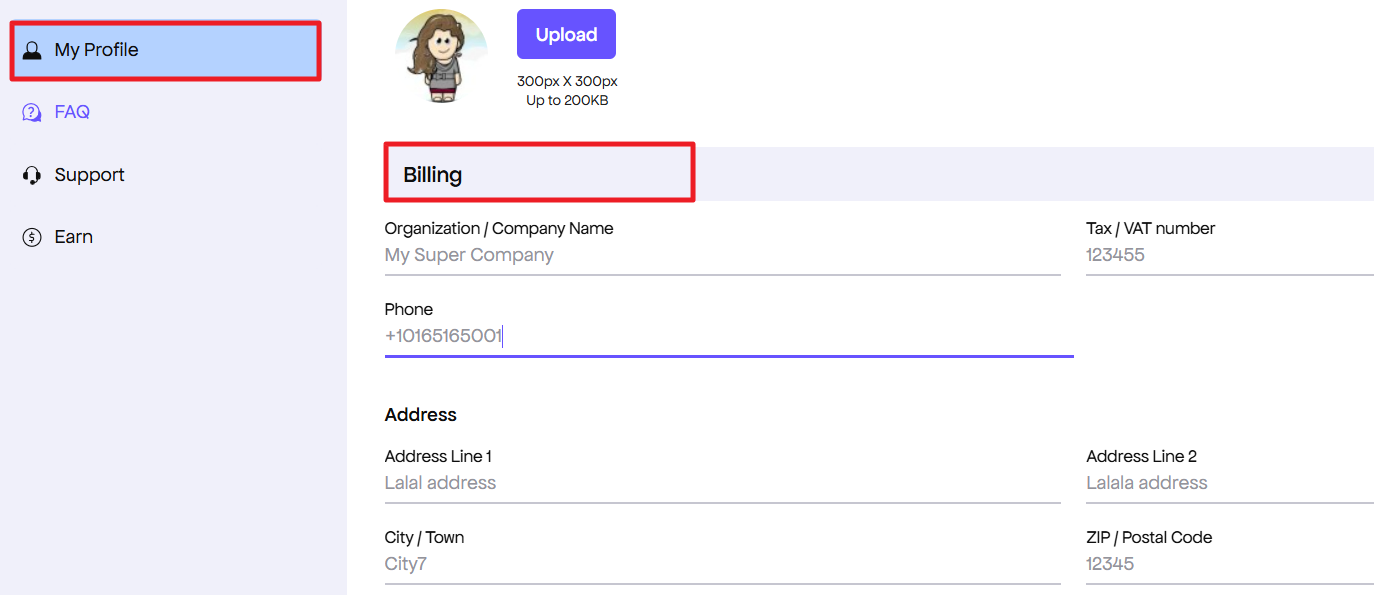
Fig.1. Update billing info.
- Head over to the Orders / Billing History tab. Re-download the invoice for your purchase (fig. 2) – Freemius will dynamically update the document to show your business details instead of the personal name.
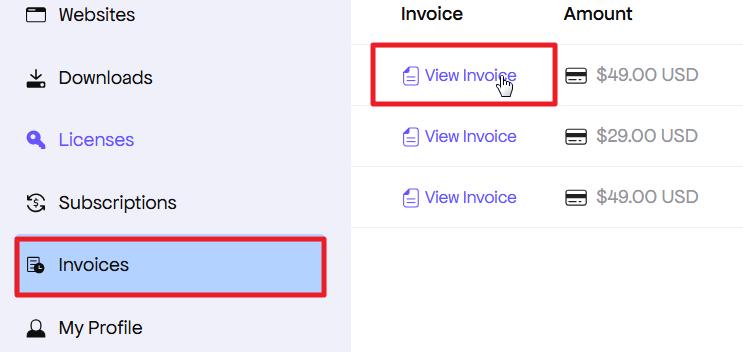
Fig. 2. Download new invoice.