How to upgrade to The7 v.15
The license allows updating to The7 v.15 if you have active direct subscription or if your Envato purchase was made less than 12 months ago.
Before proceeding the update, please make sure the valid License Key is registered in The7 -> My The7.
For Freemius users, please log into your account using the email address submitted when making the purchase. Refer to the “Licenses” tab on the left and copy your License Key (fig. 1):
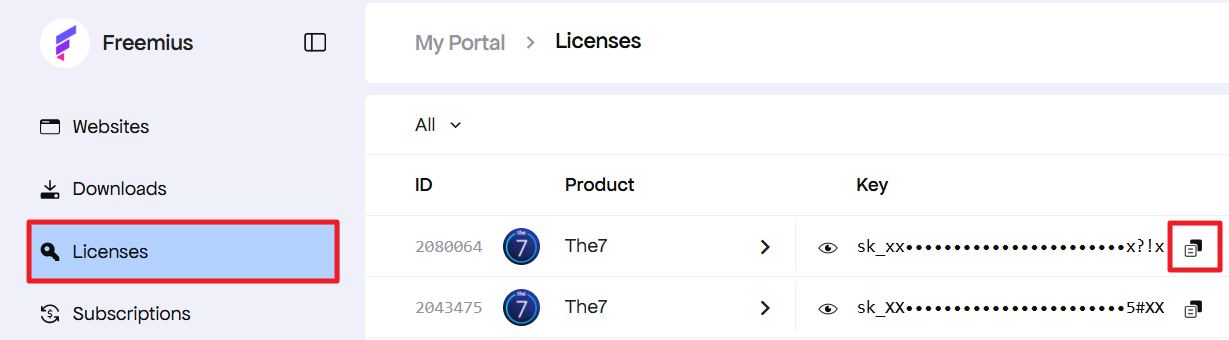
Fig. 1. Copy license key.
Refer to The7 -> My The7, de-register the old Envato code (fig. 2.1):
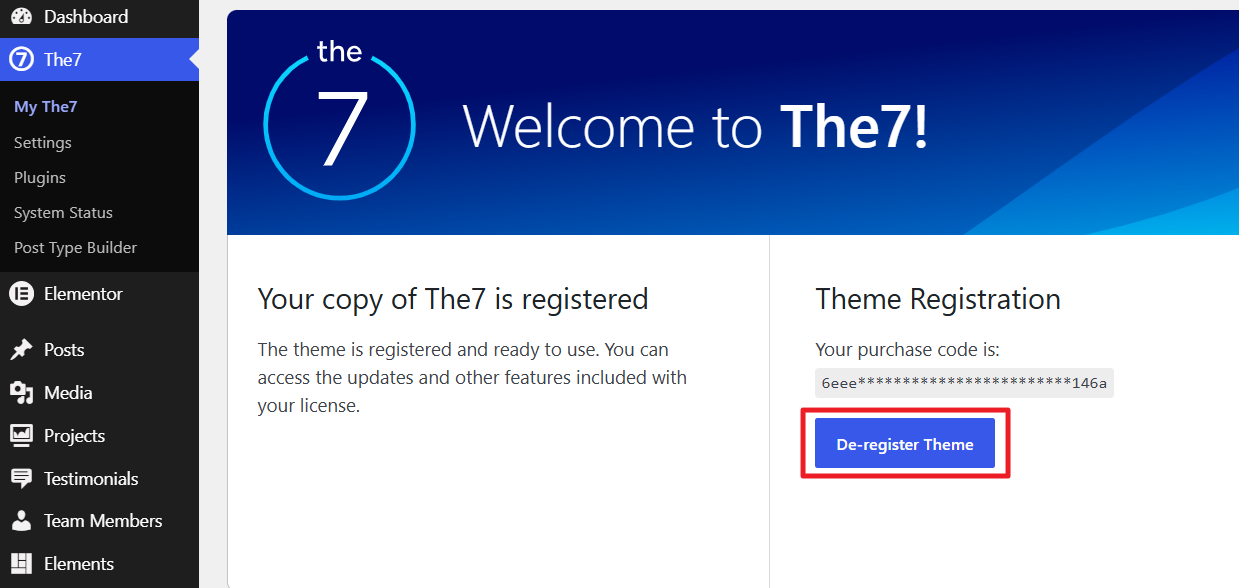
Fig. 2.1. Deregister old purchase code.
and register the new License Key instead (fig. 2.2):
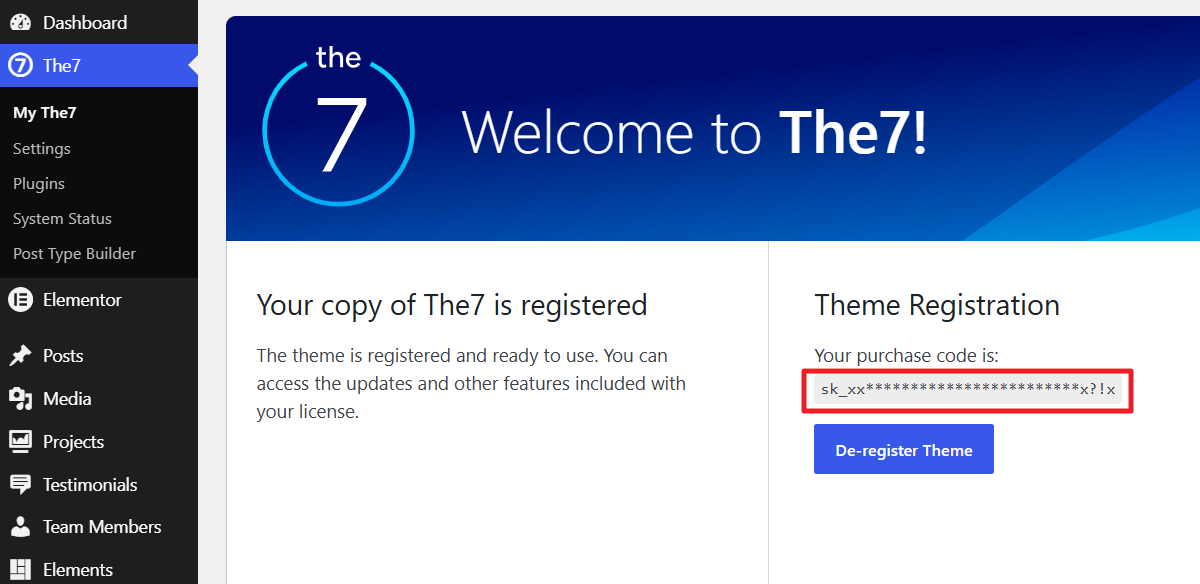
Fig. 2.2. Register the new key.
Then, you can proceed the update by clicking the big blue “Upgrade to The7 15” button (fig. 2) – no special steps are required.
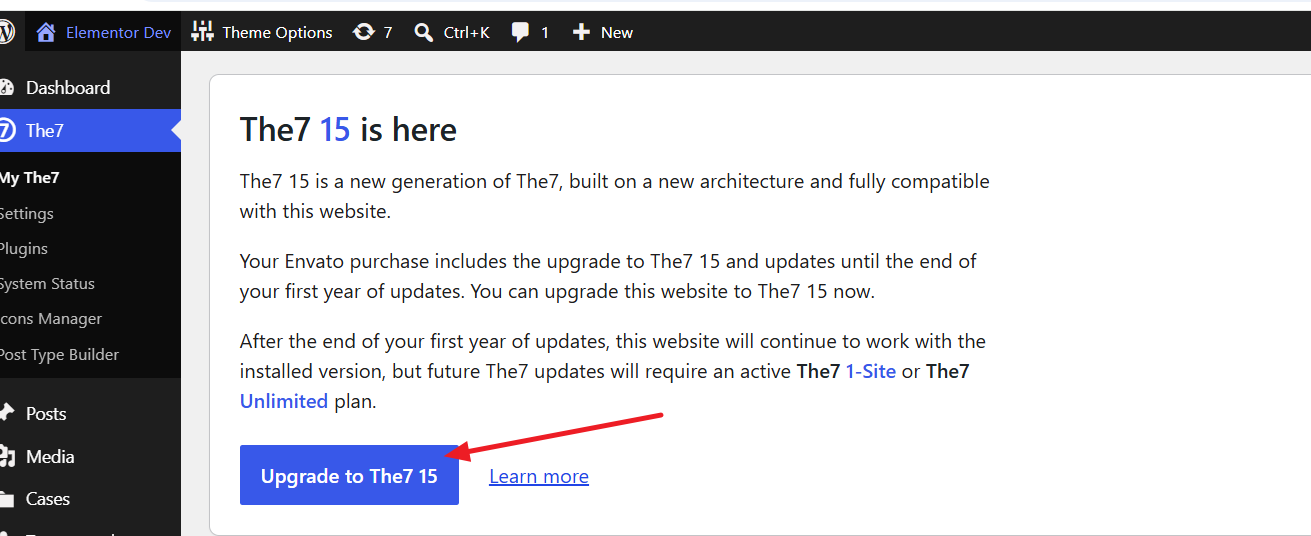
Fig. 2. Upgrade to The7 ver. 15.
But, of course, having a backup is always helpful 🙂 You can make it, for example, by means of https://wordpress.org/plugins/updraftplus/