How to update The7 Classic within version 14
Keeping your theme up to date is essential for security and performance. We continue to release security fixes for version 14.x. More info about our current Update Policy is available here.
In order to update your The7 v.14, go to Dashboard → Updates in WordPress. Here you’ll see if a new patch for The7 version 14 is available (fig. 1). Under the Themes section, tick the checkbox next to The7.
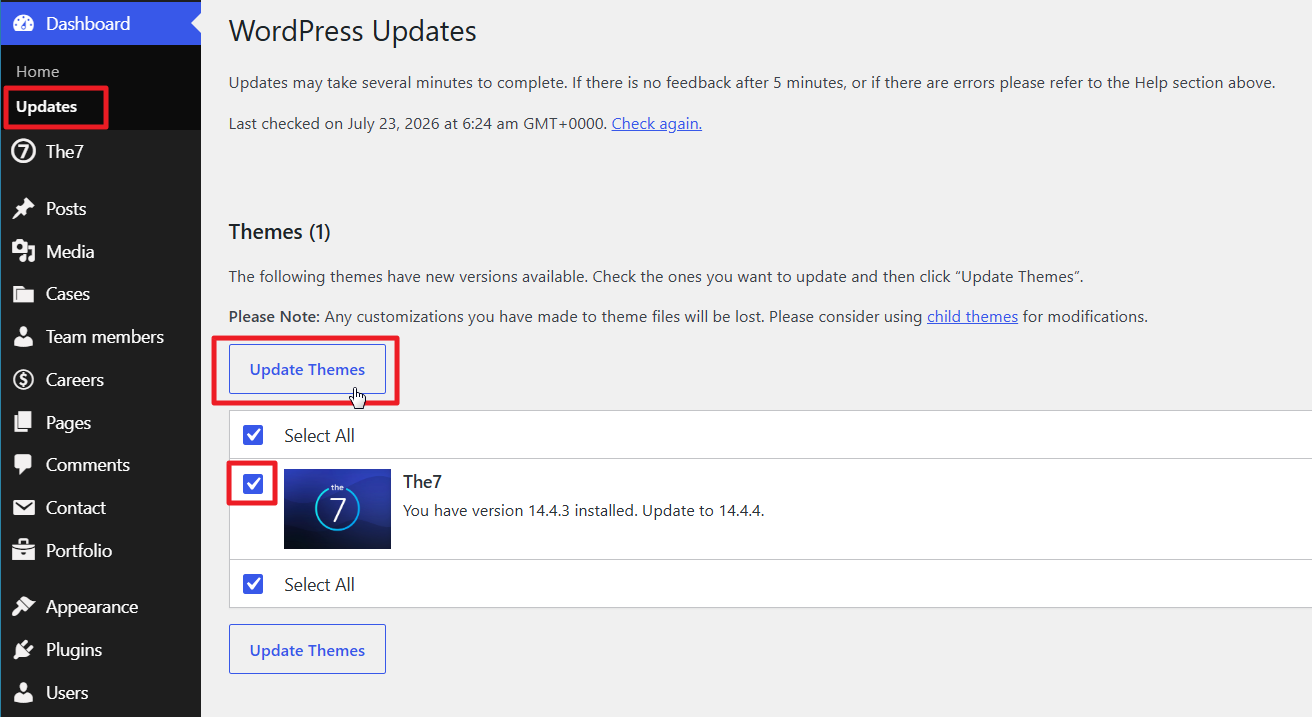
Fig.1. Update version 14.
Click Update Themes. WordPress will download and install the latest 14.x release.
If it still gives no result, please refer to /wp-admin/admin.php?page=the7-dev&tab=install And click “Re-install The7” (fig. 2). It should help.
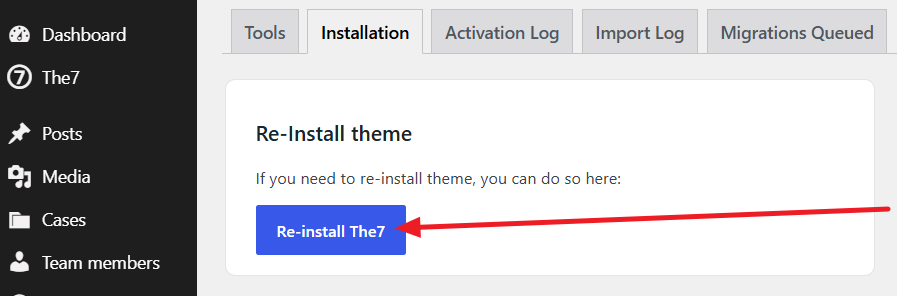
Fig. 2. Reinstall the theme.